Verification on a video call
Tell us what to check. Assure checks it on a video call.
The person joins from their own phone. An AI agent asks for each item on your list, looks at it the way your own inspector would, and hands your team the record.
No setup fee. Pay only for the calls you run.

Client

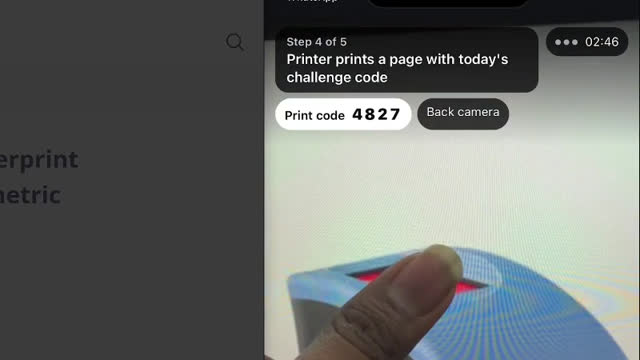
CSC (Common Services Centres) onboards its village-level entrepreneurs with Assure. Each new operator joins a call from their phone, in their own language, and shows the agent what a centre runs on.
- Their face and government ID
- Name checked against the CSC register
- A laptop, switched on
- A printer printing the call’s code
- A fingerprint scanner with a live capture

How it works
A guided call on their own phone.
Nobody has to travel, and nobody on your team has to sit and watch.
-
 01
01Open the link.
No app. They pick a language and agree to recording.
-
 02
02Talk with the agent.
It explains each step. They can speak or type.
-
 03
03Show each item.
ID card, laptop, printed page. The agent switches cameras when needed and says exactly what to fix.
-
 04
04Finish at their pace.
An item in another room can wait until the end.
What you get
A complete record of every call.
Your team only looks at the steps that need a person.
Recording, with a chapter per step.
Transcript of everything said and typed.
The picture behind every step, with the rule that decided it.
Unclear steps flagged to your reviewer, with the evidence.
Cost per call in your dashboard.
Why it can be trusted
Only what the camera shows counts.
-
Words never pass a step.
A step passes only when a picture taken during the call meets your rules. Saying “just mark it done” changes nothing.
-
A fresh code every call.
Each call gets its own random code for the person to show on paper or a screen, so an old photo or a recording can’t pass.
-
People decide the unclear cases.
They go to your reviewer with the picture and the reason it was flagged.

Use cases
Checks you make today, done on a call.
-
Field and gig workers.
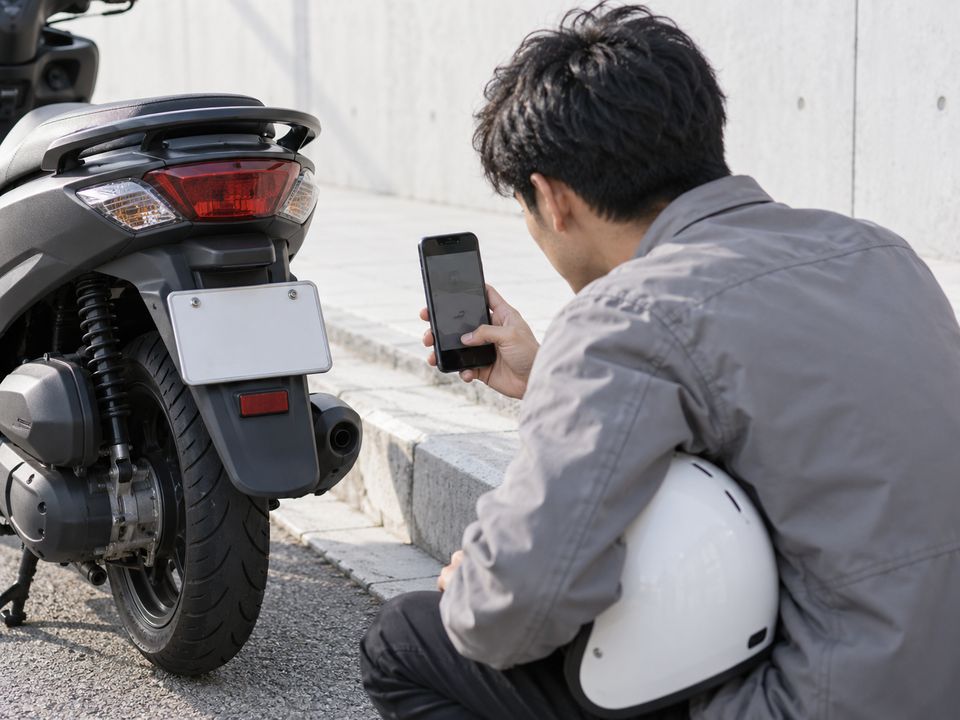
Licence, vehicle, number plate, helmet and kit, with a repeat check at shift start.
-

Remote hires.
Face, ID, company laptop with asset tag, and the call's code in one picture.
-
Vehicle inspection.
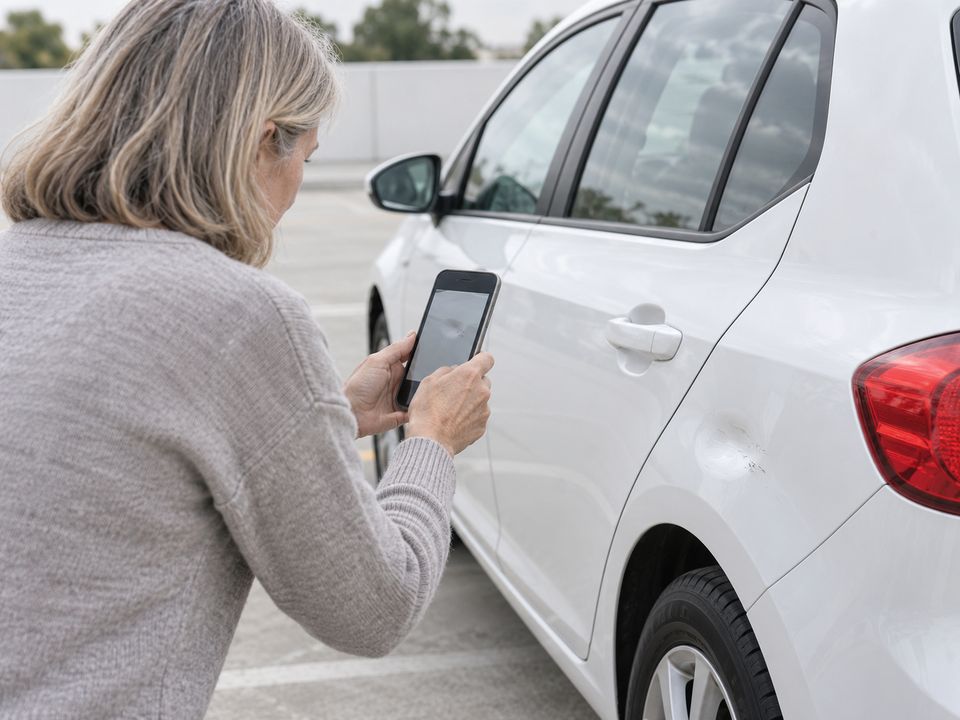
At delivery, before a policy is issued, or for resale or finance.
-

Property and rentals.
Condition at move-in and move-out.
-
Agents, merchants, outlets.
Premises, signboard, equipment and devices.
-
Insurance claims.
Damage and vehicle identity at first notice, time-stamped.
-
Installation proof.
Solar, telecom or appliances, installed as specified.
-
Lender asset checks.
The financed asset exists and is with the borrower.
Something else to check? Book a free call
Getting started
Starting costs nothing.
- 01
Book a free call.
Tell us what you check today.
- 02
We build your checklist with you.
Steps and rules, tested on sample pictures.
- 03
Go live at no cost.
No setup fee and nothing to install.
- 04
Pay per use.
Only for the calls you run.
Managed support. We run and tune it for you. A paid add-on.
Pricing
Two plans. No setup fee.
-
Pay per use
Your team runs it and pays only for the calls it makes.
Includes
- Your checklist, built with you
- The full record for every call
- Changes without code, every version kept
- Cost per call in your dashboard
-
Managed
Pay per use, and we run and tune it for you.
Includes
- Everything in Pay per use
- We run your checklist
- We tune steps and hints as calls come in
We agree the price with you on the call.
Languages
In the language they speak.
The person picks their language before the call starts, and the agent speaks it from the first word to the last.
Global
- English
Indian languages
- Hindi हिन्दी
- Bengali বাংলা
- Telugu తెలుగు
- Marathi मराठी
- Tamil தமிழ்
- Urdu اردو
- Gujarati ગુજરાતી
- Kannada ಕನ್ನಡ
- Odia ଓଡ଼ିଆ
- Malayalam മലയാളം
- Punjabi ਪੰਜਾਬੀ
- Assamese অসমীয়া
- Nepali नेपाली
- Sindhi سنڌي
You also choose the agent’s voice. Working in another language? Ask us on the call.
Security
Security and privacy.
- ISO 27001
- SOC 2
- GDPR
Consent before recording.
Role-based access.
Every change logged.
Published versions cannot be altered.
Encrypted connections.
FAQ
Questions teams ask.
Does the person need an app?
No. They open a link on their phone.
What if a step fails?
The agent says what to fix and they try again. An item not at hand can wait until the end. Anything still unclear goes to your reviewer.
What if someone tries to cheat?
Only a picture that meets your rules passes a step; what anyone says changes nothing. Each call has its own random code, so an old photo or recording cannot pass.
Which languages?
English, and the Indian languages Hindi, Bengali, Telugu, Marathi, Tamil, Urdu, Gujarati, Kannada, Odia, Malayalam, Punjabi, Assamese, Nepali and Sindhi. The person picks one before the call. If you work in another language, ask us.
How long to go live?
We build your checklist with you over the first calls, and you go live once you are happy with it.
What does it cost to start?
Nothing. No setup fee. You pay for the calls you run. Managed support is an optional paid add-on.
Can we change the checklist later?
Yes, without code. Test a step on a sample picture first. Every published version is kept, so you can roll back.
Where do the recordings go?
Into your dashboard, kept with each call, alongside the transcript and every step's picture.
Bring the checklist you use today.
We will set it up with you on a free call. There is no setup fee.
Book a free callOr write to engineering@wawm.ai